FLUX.2[KLEIN]9B Dressed up for party | reference images use case

Earlier this atfernoon I was really hyped by TRYON Lora presentation https://huggingface.co/fal/flux-klein-9b-virtual-tryon-lora

So I decide to try something, ….

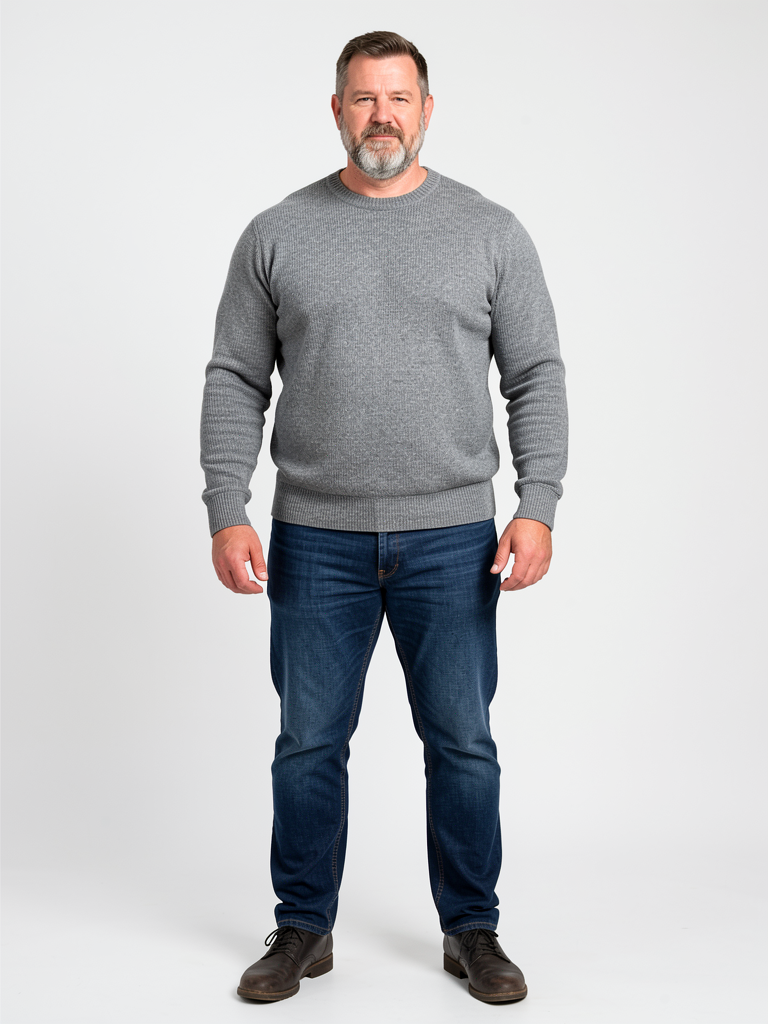
First generation with FLUX.2[KLEIN]9B of my mannequin, basic big dude with gray sweater and blue jean

PROMPT :

full body photography from head to toe, Joe ,1,95 meter 120 kg white male, muscular, 45 yo, short hairs, salt'n'pepper beard, standing in gray sweater,

Steps: 4, Sampler: DDIM Trailing, Guidance Scale: 1.0, Seed: 1543477492, Size: 768x1024, Model: flux_2_klein_9b_q6p.ckpt, Strength: 1.0, Seed Mode: Scale Alike, Shift: 3.0, CLIP Skip: 2

Then time to dress him up to go to the party …
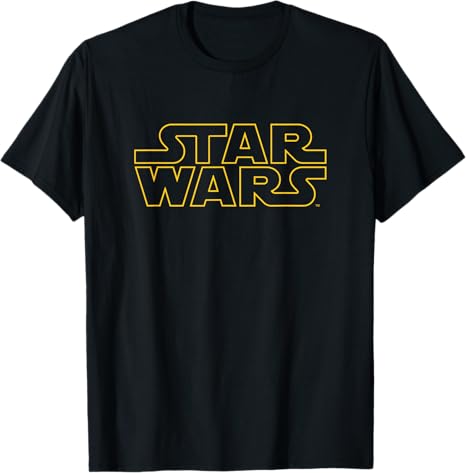
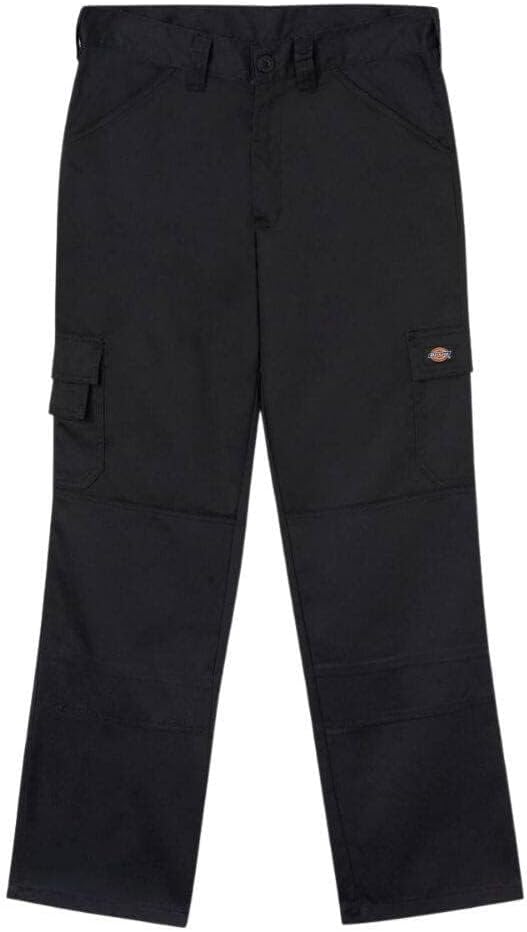
A StarWars Tshirt and Dickie Troussers

I activate the LORA , put the reference images in the moodboard on my local generator software ( Drawthings )
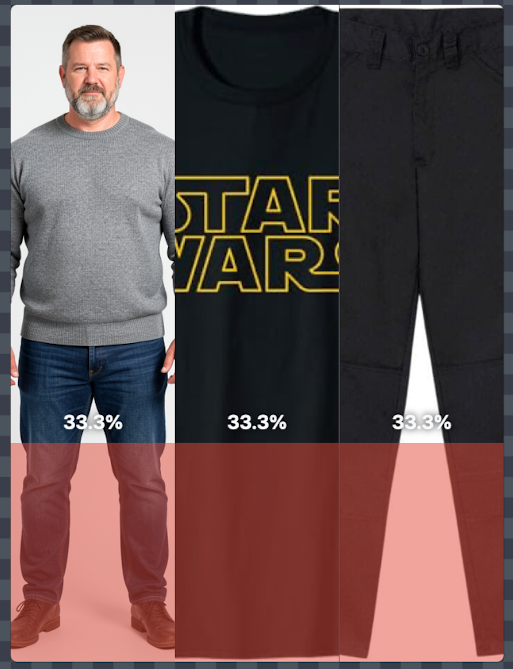
Them I according to TRYON Huggingface page i prompted :

TRYON [Joe, 1,95 meter 120 kg white male, muscular, 45 yo, short hairs, salt'n'pepper beard]. Replace the outfit with [black StarBars TSHIRT] and [Black Dickies Trousers] as shown in the reference images. The final image is a full body shot.

Steps: 4, Sampler: DDIM Trailing, Guidance Scale: 1.0, Seed: 1601279629, Size: 768x1024, Model: flux_2_klein_9b_q6p.ckpt, Strength: 1.0, Seed Mode: Scale Alike, Shift: 3.0, CLIP Skip: 2, LoRA Model: flux_klein_tryon_lora_f16.ckpt, LoRA Weight: 1.0

I hit generate then 10 min laters, I got this badboy :

Ok welldone ! But Fail ! Who will put TSHIRT OVER a sweater ?

Time to dress him with a sweater …

It’s Christmas Time

Prompt :

TRYON [Joe ,1,95 meter 120 kg white male, muscular, 45 yo, short hairs, salt'n'pepper beard]. Replace the outfit with [Christmas sweater] and [Black Dickies Trousers] as shown in the reference images. The final image is a full body shot.

Steps: 4, Sampler: DDIM Trailing, Guidance Scale: 1.0, Seed: 262279867, Size: 768x1024, Model: flux_2_klein_9b_q6p.ckpt, Strength: 1.0, Seed Mode: Scale Alike, Shift: 3.0, CLIP Skip: 2, LoRA Model: flux_klein_tryon_lora_f16.ckpt, LoRA Weight: 1.0

Ok Better, but what about trying doing this without the LORA ?

FLUX.2[KLEIN] is pretty capable to doing edit …

So lets’ try … to doing thing, but without the TRYON lora …

Prompt :

[Joe,1,95 meter 120 kg white male, muscular, 45 yo, short hairs, salt'n'pepper beard (image1)]. Replace the outfit with [Christmas sweater(image2)] and [Black Dickies Trousers(images 3)] as shown in the reference images. The final image is a full body shot.

Steps: 4, Sampler: DDIM Trailing, Guidance Scale: 1.0, Seed: 3333396139, Size: 768x1024, Model: flux_2_klein_9b_q6p.ckpt, Strength: 1.0, Seed Mode: Scale Alike, Shift: 3.0, CLIP Skip: 2

And Yes, In my option, Result is better without TRYON lora …

Better texture, better color …

Now, you know Joe is an huge World of Warcraft player , and he really like playing warrior, and he really like T2.5 Armor Set ( image source from Wowhead Dressing Room generator

Time to tweak the prompt : 

[Joe,1,95 meter 120 kg white male, muscular, 45 yo, short hairs, salt'n'pepper beard (image1)]. Replace the outfit with [wow armor set (image2)] as shown in the reference images. The final image is a full body shot. 
Steps: 4, Sampler: DDIM Trailing, Guidance Scale: 1.0, Seed: 2172455118, Size: 768x1024, Model: flux_2_klein_9b_q6p.ckpt, Strength: 1.0, Seed Mode: Scale Alike, Shift: 3.0, CLIP Skip: 2

and TADAM 

Joe is ready to attend to the next cosplay challenge at the nest Blizzcon, as soon he remove his sweater …

FLUX.2[Klein] is a quite capable model to edit image and manipulate multiple reference images.

And you can run it, FOR FREE, on you own computer …

So what are you waiting for ? 


@+

Joe

Ouinche

Any physical resemblance to Joe would be purely coincidental…


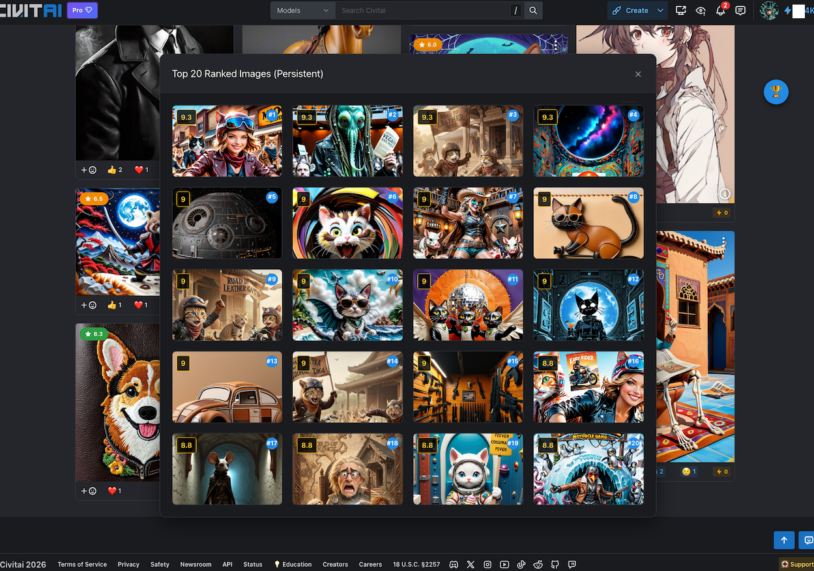
Challenge-Rank a Civitai.com Chrome extension

Challenge Rank: The Missing Leaderboard for Civitai Challenges 🏆

Ever tried to figure out which are the best CivBot Rated images during a Civitai Challenge?

It’s tough. You have to scroll… and scroll… and scroll. And open your eyes !

Challenge Rank fixes this. It’s a simple, non-destructive, open source, vibe coded, Chrome Extension that works in the background to build a live « Top 20 » leaderboard as you browse.

🌟 How It Works

  1. Install the Extension: (See below).
  2. Go to a Challenge: Navigate to any challenge page (e.g., civitai.com/challenges/...).
  3. Activate Judge Reviewed filter
  4. Browse Normally: Just scroll all the way down the page. The extension quietly scans every image it sees.
  5. Click the Trophy 🏆: A floating trophy button appears in the bottom right. Click it to see the Top 20 Highest Rated images found so far.

✨ Key Features

  • 📊 Persistent Leaderboard: The overlay remembers the best images even if you scroll past them.
  • 🖱️ Draggable Button: Move the floating trophy button anywhere on your screen.
  • 🧠 Smart Scoring: It ignores « PG-Rating »
  • 🚫 No broken layouts: It doesn’t try to reorder the grid (which breaks infinite scroll). It just shows you a clean overlay.
  • ⚡ Auto-Reset: Switching to a new challenge automatically clears the list for you.

🛠️ How to Install & Run

Since this is a custom tool, you’ll load it as an « Unpacked Extension » in Chrome (or Edge/Brave).

  1. Download the extension folder from the GITHUB Repro : https://github.com/OuincheWinch/Challenge-Rank/ (challenge-rank-extension).
  2. Open your browser and search for Manage Extensions (or go to chrome://extensions).
  3. Toggle « Developer Mode » (usually a switch in the top right corner).
  4. Click the « Load Unpacked » button.
  5. Select the challenge-rank-extension folder.
  6. That’s it! Go to a Civitai Challenge page and look for the 🏆.

⚖️ Disclaimer

This is an unofficial, community-created extension and is not affiliated with, endorsed by, or connected to Civitai in any way.

Civitai™ is a trademark of its respective owners. This tool is provided « as is » without warranty of any kind.


Created to make life easier for Civitai challengers!

Coded by Ouinche & Gemini 3 Pro